
Beat Tiles 2: Piano Master
JoyPop GamesMusic
3.724.00 Reviews
- Version
- 1.5.2
- Installs
- 5.00M
- Age Rating
- Everyone
Screenshots
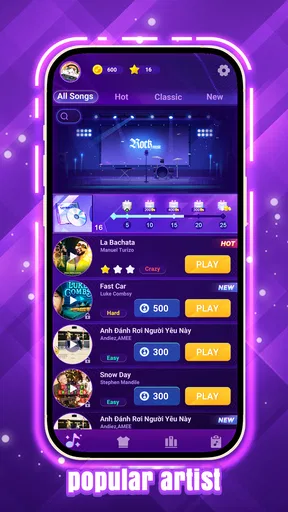
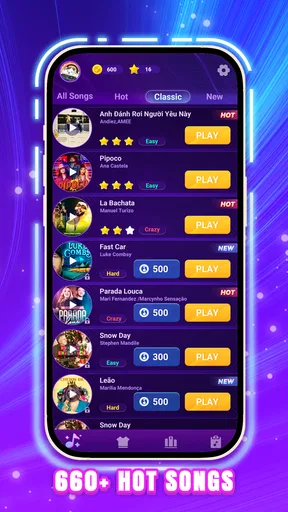
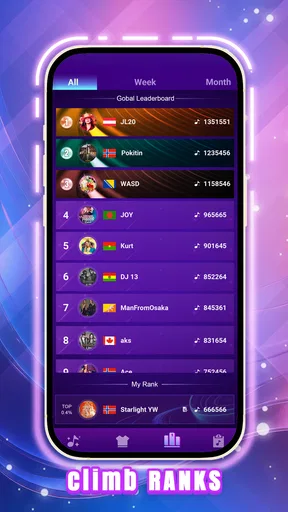
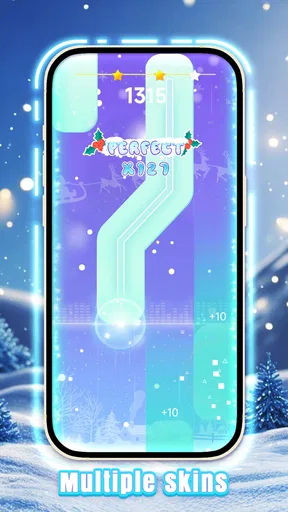
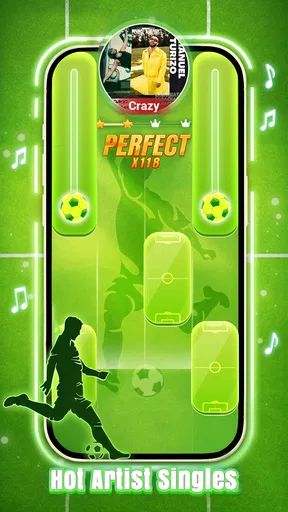

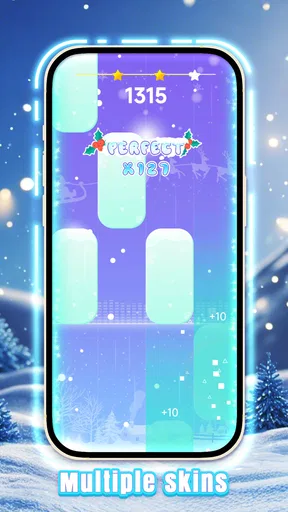
Our Review of Beat Tiles 2: Piano Master
 Analysis by Appyee
I spent time with Beat Tiles 2: Piano Master as a quick music game rather than treating it like a piano-learning tool, and that distinction matters. The appeal is immediate: you tap along with falling tiles, try to keep the rhythm, and restart when a missed note breaks your run. It is the kind of game I can open for a few minutes while waiting for an appointment, then put away without needing to remember a complicated story or control system.
JoyPop Games presents it as a pocket-sized piano experience, and that is a fair way to understand the concept. You are not sitting down to practice scales or learn sheet music. Instead, the game turns timing and concentration into a simple challenge that works well on a phone screen. It is free, rated for Everyone, and belongs firmly in the casual music-game space. That makes it easy to recommend to people who want instant play, although it also means experienced rhythm-game players may find the basic format less demanding than a dedicated alternative.
How the current version feels in everyday play
The first thing I noticed is how quickly the game communicates its main idea. There is no need for a long tutorial before understanding what to do: watch the moving tiles, tap at the right moment, and avoid losing the flow. That low barrier is one of its strongest qualities. I could hand the phone to someone unfamiliar with rhythm games and explain the objective in seconds.
The best everyday use case is short, repeatable sessions. I would use it during a commute, while waiting for food, or between tasks when I wanted something more active than scrolling but not something that demanded a large time commitment. A single attempt can feel like a small concentration exercise. When I missed a tile, the natural reaction was to try again immediately and see whether I could improve my timing.
That loop is satisfying because the game asks for attention without requiring much preparation. You do not need a controller, headphones, or a quiet room to understand the basic action. Headphones can still make the rhythm easier to follow, especially in a noisy place, but the game’s central interaction remains accessible on a touchscreen.
I would not describe the experience as piano practice in the educational sense. The taps may resemble playing keys, but the game is testing visual reaction and rhythm retention rather than teaching finger placement, notation, harmony, or musical technique. Someone hoping to become a better pianist should choose a lesson app or a real keyboard instead. Someone wanting a light challenge with a musical theme is much closer to the intended audience.
Why the simple format works
The stripped-down interaction gives the game a useful advantage over larger rhythm titles. Many music games surround the action with characters, progression systems, menus, and long-term collections. Those extras can be enjoyable, but they also create friction when I only have a few minutes. Here, the core appeal is more direct: start playing, focus on the pattern, and try to last longer or perform more cleanly.
There is also a psychological benefit to the restart loop. A mistake does not feel like a major setback because the session is small and the rules are easy to understand. I can identify the problem—reacting late, looking away, or tapping too quickly—and make another attempt straight away. That makes the game suitable for casual improvement, even though it is not a formal training system.
My practical advice is to keep the phone steady and use a light touch. Holding it loosely while tapping with one hand can make the screen feel less predictable, particularly when the pace increases. For longer sessions, using both hands may give better reach, but I found that the most important adjustment was not speed. It was watching the movement consistently instead of staring at one section of the screen.
What the version and release history tell me
The game was released on February 20, 2025, and the current version is 1.4.4. Those details place it in a relatively early stage of its product life, so I see the present build as a snapshot of an evolving casual game rather than a finished replacement for every established rhythm title. The version number shows that JoyPop Games has already moved beyond the first release, but a version label by itself does not prove how substantial each update has been.
That is why I would separate the confirmed current state from future expectations. I can judge the game I played now: it delivers an approachable tile-tapping music challenge and is easy to start. I would not promise that later updates will add particular modes, songs, or systems unless JoyPop Games announces them. For a reader deciding whether to install it today, the sensible question is whether the present core loop is enough.
The game has attracted over five million installs and an average rating of 3.8 from around three thousand ratings. That suggests it has reached a broad casual audience, while the rating also signals that the experience will not satisfy everyone equally. I read that combination as a reason to keep expectations balanced: the concept is accessible and popular enough to try, but popularity does not remove the possibility of repetition or uneven personal fit.
It is also worth noting that the store shows twenty-one written reviews. I would give more weight to my own play experience and to the overall pattern of ratings than to a small collection of comments. Short rhythm games can receive very different reactions depending on a player’s tolerance for restarting, their preferred music style, and how much depth they expect from a free mobile game.
Who will enjoy it, and who should skip it
I think this is a good match for younger players, families looking for an uncomplicated game, and adults who enjoy quick reflex challenges. The Everyone age rating supports that broad accessibility. It is also a reasonable choice for someone installing a music game for the first time because the main interaction can be understood without prior rhythm-game knowledge.
I would be more cautious about recommending it to players who want a deep music library, complex difficulty tiers, competitive online play, or a structured path toward real piano ability. Those expectations point toward a more specialized rhythm game, a rhythm-action title with richer progression, or a proper piano-learning application. The free price makes trying it low-risk, but free does not automatically mean it is the best fit for every kind of music player.
Another group that may want to skip it is anyone who dislikes repeated attempts at the same basic challenge. The appeal depends on enjoying small improvements in timing. If you prefer exploration, narrative, strategy, or a game that changes dramatically from session to session, the tile format may start to feel narrow. I found the simplicity refreshing in short bursts, but I can also see it becoming repetitive during a long uninterrupted session.
Useful habits for getting more from the game
My first useful habit was to treat each attempt as a timing exercise instead of simply chasing speed. When I focused on the next tile and kept a steady visual rhythm, I played more consistently than when I tried to tap aggressively. This is a small distinction, but it changes the experience from frantic reaction to controlled concentration.
Second, I would avoid judging the game during a single bad run. Touchscreen rhythm games can feel awkward when the phone is positioned poorly or when a finger covers part of the action. I got a fairer impression after placing the device on a stable surface and playing with a clear view. That setup is especially helpful for children, who may otherwise grip the phone tightly and accidentally shift it while tapping.
Third, short sessions are probably the healthiest way to use it. The game’s compact loop encourages “one more try,” and that can quietly turn a brief break into a much longer session. I found it more enjoyable when I stopped after a few focused attempts rather than continuing through frustration. The same approach also makes the game useful as a small attention reset between work or study blocks.
A less obvious trade-off is that the game’s accessibility comes from reducing complexity, but that reduction can limit long-term motivation. A beginner may appreciate not having to learn multiple systems, while an experienced player may want more control over how the challenge develops. In other words, the same simplicity that makes the first session welcoming may be the reason a regular player eventually looks elsewhere.
How it compares with familiar alternatives
Compared with a piano-learning app, this game is quicker and less intimidating, but it offers none of the educational structure that makes lessons valuable. It can help someone enjoy the idea of tapping in time, yet it should not be mistaken for instruction. If your goal is to read notes, build technique, or understand chords, a learning-focused app is the better tool.
Compared with a larger rhythm game, Beat Tiles 2: Piano Master feels more immediate and less demanding in terms of setup. A larger title may offer richer progression, more varied presentation, or a stronger long-term community, while this game’s advantage is that it gets to the tapping quickly. I would choose this one for a short break and a more elaborate rhythm game for a planned gaming session.
Compared with listening to music, the difference is participation. This is not something I open to relax passively; it asks me to watch, react, and recover from mistakes. That makes it a better choice when I want a small interactive distraction, but a music player remains preferable when I simply want to enjoy songs without concentrating on a screen.
Where the experience still leaves room
The main limitation is the risk of repetition. A tile-based rhythm loop can be compelling, but its staying power depends heavily on how much variety the current build provides and how willing the player is to pursue better runs. I would not install it expecting the breadth of a full music platform or the depth of a premium console rhythm game.
There is also a difference between being easy to start and being easy to master. The opening interaction is friendly, but maintaining accuracy as the challenge intensifies can become demanding. That is good for players who enjoy reflex practice, yet it may frustrate younger children or anyone with less precise touchscreen control. The Everyone rating describes broad suitability, not identical comfort for every player.
The free format is another practical consideration. It makes experimentation simple, but I would still approach the game with the expectations normally attached to a free casual title: the focus is on accessible repeat play, not necessarily on the depth or polish of a paid specialist product. If you are sensitive to interruptions or want a completely focused musical experience, a paid alternative may suit you better, depending on your priorities.
I also would not rely on the game as a substitute for a physical keyboard. The screen gives immediate access and removes the need for equipment, but touchscreen tapping does not reproduce the feel, spacing, resistance, or coordination involved in playing piano. That is not a flaw in its intended genre; it is simply an important boundary that prevents disappointment.
What I would watch as JoyPop Games continues development
Because the current version is 1.4.4, I would pay attention to whether future updates deepen the experience without making the opening too complicated. The most meaningful improvements would be the ones that give regular players a reason to return while preserving the fast start that makes the game approachable. I would look for clearer ways to understand progress, more meaningful variation, and refinements that make timing feel consistent.
I would also watch how the game handles the gap between casual accessibility and sustained challenge. New players need a gentle entry, but returning players need goals that feel worthwhile. If future development addresses both groups carefully, the game could become more than a quick novelty. If it remains focused only on the basic loop, it may continue to work best as a small, occasional time-filler.
For now, my recommendation is straightforward: install it if you want a free music game built around quick touchscreen timing, especially for short sessions and uncomplicated play. I would skip it if you are looking for genuine piano instruction, a large competitive ecosystem, or a deep rhythm adventure. JoyPop Games has created an approachable starting point, and the current build is easy to understand, but its value depends on whether repeating a focused tile challenge sounds enjoyable to you.
After using it, I see the game as a convenient pocket activity rather than an all-purpose musical app. It succeeds when I want a fast attempt, a small test of concentration, or a casual game that someone else can understand immediately. Its limits become clearer during long sessions, where the simple format may not offer enough variety for demanding players. That balance is the key to deciding whether Beat Tiles 2: Piano Master deserves a place on your phone.
Privacy and Permissions
See what permissions an app requests and how it handles your data.
- Wi-Fi connection information
- view Wi-Fi connections
- Other
- view network connections, full network access, reorder running apps, control vibration, prevent device from sleeping, Google Play license check
Verdict
Strengths of Beat Tiles 2: Piano Master
- Simple one-touch controls make it easy to start playing immediately.
- Short songs fit well into quick gaming sessions.
- Increasing speed keeps later levels challenging and engaging.
- Bright visuals and rhythmic effects make taps feel satisfying.
- Unlockable songs provide a reason to keep progressing.
Limitations of Beat Tiles 2: Piano Master
- Some tracks may feel repetitive after extended play.
- Fast sections can be difficult on smaller phone screens.
- Progress may feel slow without frequent play sessions.
- Ads can interrupt the experience between songs or attempts.
- The game offers limited depth for players seeking advanced rhythm mechanics.
Other Releases by JoyPop Games
View All
One Line Games: Puzzle Fun
Trivia3.9

Arrow Way: Tap Away Puzzle
Trivia4.8
Similar Picks in This Category
View All
Tiles Hop Music & Ball Game
AMANOTES PTE. LTD.4.3

Magic Tiles 3™ - Piano Game
AMANOTES PTE. LTD.4.6

Real Piano
Bilkon3.7

Piano Game: Classic Music Song
Dream Tiles Piano Game Studio4.0

Smash Colors: Music Ball Rush
BADSNOWBALL HONGKONG LIMITED4.2

Piano Music Go-EDM Piano Games
Joy Journey Music Games4.5
Frequently Asked Questions
What is Beat Tiles 2: Piano Master?
Beat Tiles 2: Piano Master is a rhythm game in which you tap piano-style tiles in time with songs. The main challenge is to follow the beat accurately while the tiles move faster and the patterns become more demanding. It is designed for short, casual sessions, but higher levels can require concentration, quick reactions, and consistent timing.
How do you play Beat Tiles 2: Piano Master?
The gameplay is simple to understand: tap the correct tiles as they appear and avoid missing notes or touching the wrong areas. Songs generally become more difficult as you progress, introducing faster sequences and more complex patterns. Headphones can make the rhythm easier to follow, although the game can also be played using your device’s speakers.
Is Beat Tiles 2: Piano Master free to download and play?
Beat Tiles 2: Piano Master can generally be downloaded without an initial purchase, but the free experience may include advertisements, optional purchases, or other limitations depending on the version and platform. Before installing, check the store listing for current pricing, in-app purchase details, and whether certain songs, features, or bonuses require payment.
Does Beat Tiles 2: Piano Master require an internet connection?
An internet connection may be needed for downloading the game, loading advertisements, synchronizing progress, or accessing certain content. Some basic gameplay may work offline, but availability can vary by device and game version. If you plan to play while traveling, open the app beforehand and test which songs and features remain accessible without mobile data or Wi-Fi.
Is Beat Tiles 2: Piano Master suitable for children and beginners?
The game is easy for beginners to start because its controls are based on simple taps, making it suitable for players who enjoy casual music games. However, the increasing speed can become challenging, especially for younger children. Parents should also review advertisements, in-app purchases, privacy information, and the age rating before allowing a child to install it.
Play our best games!


